
How to Choose a Cat Photo for AI Video
Practical cat photo tips: clear markings, even light, enough room for movement and one subject.
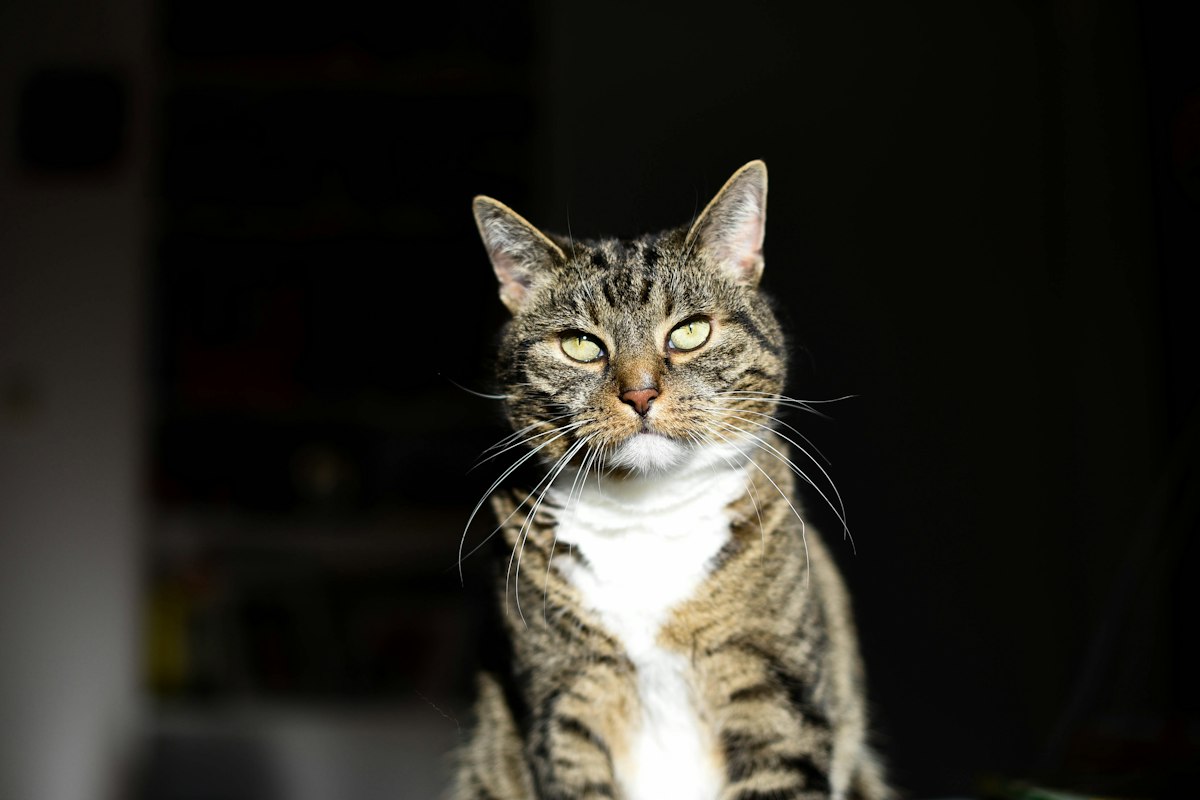
Start with a sharp photo of one cat in even light. Include the face, chest and front legs, with a little space around the body. Your cat does not have to pose or perform a clap in real life.
Let the markings show
Choose an image where you can clearly see the eyes, ears, muzzle and coat pattern. Strong shadows can hide a black cat's outline; very bright light can wash out a white cat's face. A photo near a window often gives you a useful starting point.
Keep one subject in each photo
Avoid a group of cats, hands covering the face, stickers and heavy filters. If you choose the person-and-cat idea, use separate images: the person belongs in the person slot, the cat belongs in the cat slot. A first and last frame pair is a different kind of input.
Leave room for the action
A tightly cropped face gives the model less information about the body. A clapping shot needs visible forelimbs and enough room on either side. Do not crop away the ears or the front legs just to fill the thumbnail.
Use an ordinary photo
A clear everyday phone photo is a useful test. A highly stylized illustration or an extreme camera angle is a different input and should not inherit evidence from a realistic photograph. AI may still change your cat's face or coat pattern; a good input improves the starting point without guaranteeing the result.
Check the clip, not just its cover
Look for consistent markings through the full video, two distinct front limbs, visible hand contact and a stable face. Check actual audio separately. A playable file is not proof that the action or identity is correct.
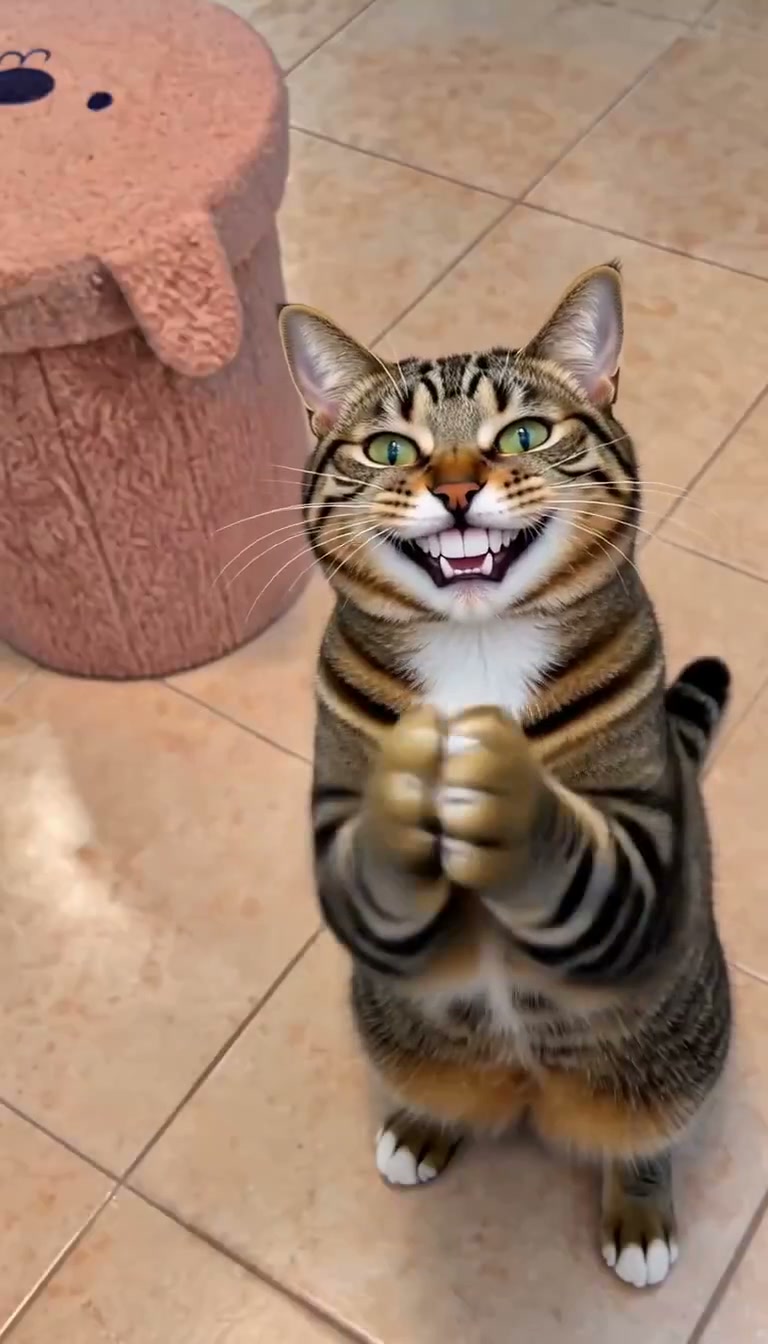
Actual Both photos video frame at 4.8 seconds. Review the face, markings and front limbs throughout the complete clip, then check its sound separately.
Prepare your cat photo. Choose a pet photo, a person photo or both for your story. Registration is free; generation uses an account allowance. Check the pricing page for the current packs and checkout status. Read what the clapping-cat reaction means if you are choosing between a reaction clip and a full story.