
Cat Clapping Meme Explained: The Slow Clap, the Joke and Your Own Cat
What the cat clapping meme means, why the slow applause works, and how a pet photo, an adult portrait or both become an original 10-second story.
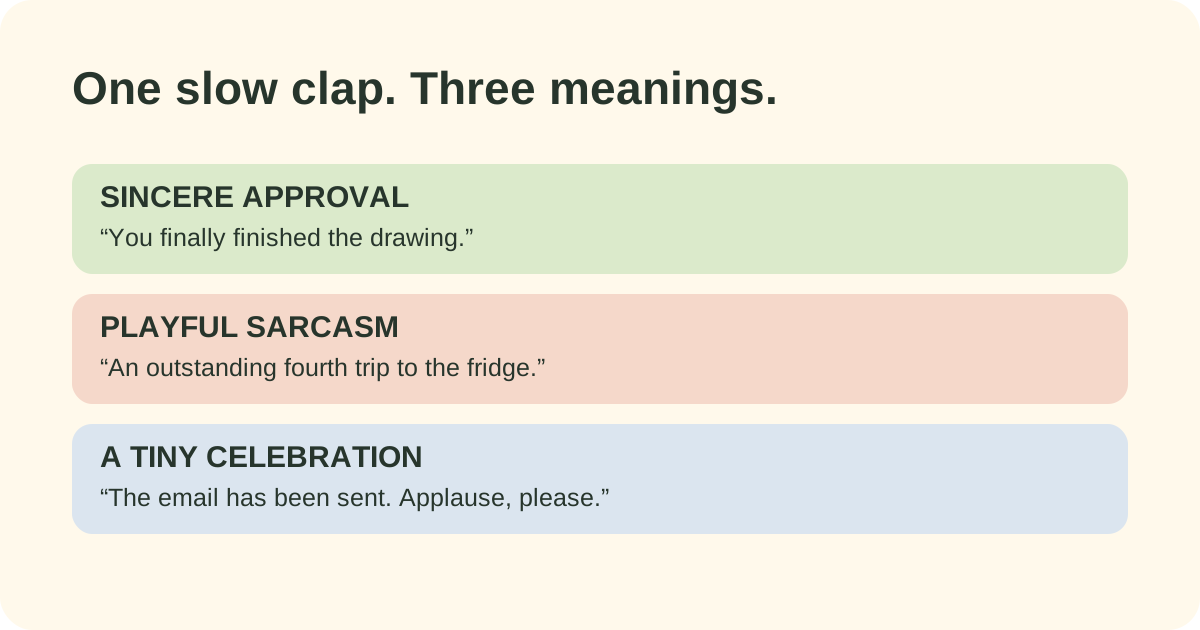
A cat clapping meme turns applause into a reaction. The funny part is the mismatch: an ordinary cat performs a very human gesture, often with an exaggerated expression and a deliberate pause between claps. Put that reaction after a tiny achievement and the applause feels wonderfully excessive. Put it after an obvious mistake and the same movement can read as sarcasm.
The terms cat clapping, clapping cat and cat clap meme can describe several related things: a short reaction clip, a looping GIF, an edited overlay, or a new AI-generated story. Decide which version you want before looking for a file or preparing photos. Our generator makes new photo-based stories; this page explains the reaction and how to use it.
What does the slow clap mean?
A fast burst of applause usually reads as celebration. A slow clap leaves room for a second thought: “Well done,” “Was that really worth celebrating?” or “I cannot believe that worked.” The audience reads your caption and the cat's expression together. Neither has to explain the entire joke alone.
Keep the setup specific. “Me after sending the email I avoided all week” gives the cat something recognizable to applaud. A vague caption such as “When life happens” asks viewers to invent the context. One small event, one point of view and a clear reaction are usually enough.
For an affectionate joke, aim the sarcasm at a situation or your own habits. The format also works without sarcasm: a first finished drawing, a rescued houseplant or a friend's small win can earn an earnest round of applause.
The story version: treat, shush, applause, handshake
Cat Clapping at cat-clapping.com uses a short scene rather than an isolated loop. The adult offers a treat, signals for quiet, receives the cat's applause and offers a hand for the final handshake. Those beats give a caption a beginning and an ending: the reward starts the exchange, the pause sets up the reaction, and the handshake closes the little deal.
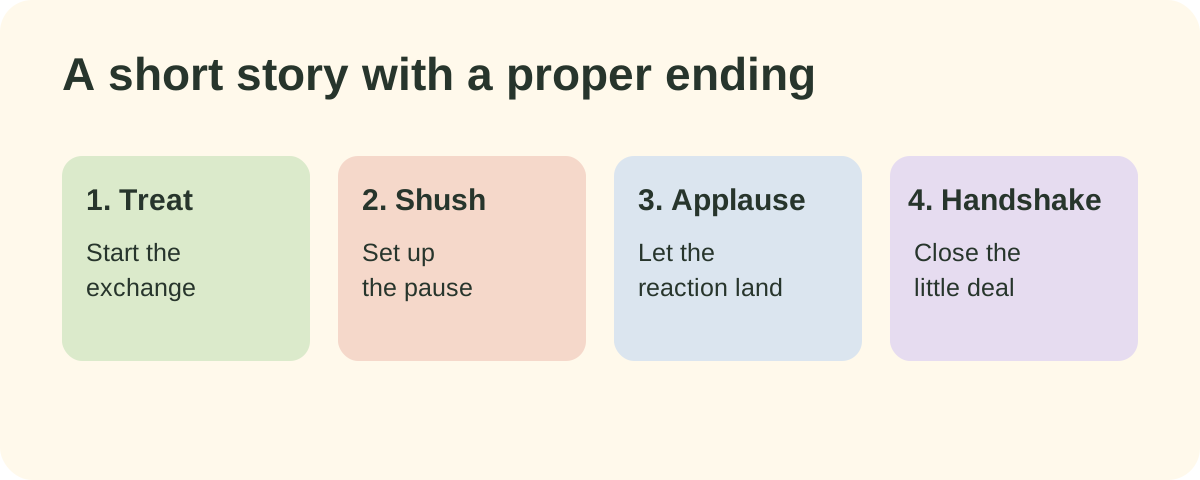
The current story follows this sequence. The diagram describes the intended scene; each generated take still needs review.
Here is a complete example made for this site, using the Pet photo mode. It is our generated footage, not the original creator's meme video. Watch the whole scene to see how the applause fits between the setup and the ending.
Can the cat look like my cat?
Choose Pet photo to guide the animal's appearance. A clear photo showing the face, coat markings and front legs gives the model a useful starting point. The adult role follows the reference appearance when you provide only the pet.
Choose Person photo when you want an adult portrait to guide the human role; the pet follows the reference appearance. Choose Both photos to supply an adult portrait and a pet photo, assigning each to its own slot. Do not combine both subjects into an ambiguous crop and expect the model to infer the roles.
The current output is a 10-second portrait video; the published examples measure 768 × 1344 pixels. These are generated interpretations, so facial details, fur, hands, timing and sound can vary. A recognizable input is a starting point, not a promise of an exact performance.
Make the caption fit the scene
Try a line that gives the treat a purpose: “Negotiations concluded. One snack, two claps.” For a small achievement, try “The committee acknowledges that I folded the laundry.” For a playful slow clap, try “An outstanding performance of opening the fridge again.” These are original caption suggestions you can adapt to your own situation.
Add text after you download the video, using an editor or the posting app. Keep it away from the face and moving hands. First watch without the caption: if the clap is hard to see, more text will not fix it. Then watch with sound, checking the transition to the final handshake.
Need more options? Read our caption ideas and photo preparation guide. If you only want a silent reaction loop, the GIF versus video guide explains what you give up when converting.
Make your own version
Open the Cat Clapping generator, choose your cast and prepare photos you have permission to use. Registration is free. Video generation uses an account allowance; check the pricing page for pack prices and current checkout availability before planning a purchase. Creating an account does not include a promise of free generation.
Review the entire finished result before sharing. Check that the intended adult and pet stay recognizable, that the hands meet and separate during the applause, and that the sound suits the scene. Keep the original download if you make a shorter edit, so you can return to the full version later.
Cat Clapping is an independent project. It is not affiliated with catclapping.com, catclapping.net, catclapping.app or the creators of the original viral clips.
Frequently asked questions
What is the cat clapping meme?
It is a reaction format built around a cat giving exaggerated applause. A caption can make the slow clap feel sincere, sarcastic or knowingly overenthusiastic.
Can I use a photo of myself and my cat?
Yes. Choose Both photos in the Cat Clapping generator, then add one adult portrait and one pet photo. Each photo guides its corresponding role in a new AI-generated scene.
Is this the original viral cat video?
No. Cat Clapping creates new scenes using your photos. The examples on this page are our own generated outputs, not copies of another creator's footage.
Does the cat clapping video include sound?
The current 10-second story recipes are configured for native generated scene sound. Listen to your whole result before sharing; audio and motion can vary between takes.